AI · LinkedIn Headshot
AI Headshot for LinkedIn
Build a LinkedIn-ready headshot prompt pack with crop-safe previews, industry presets, and realism guardrails.
LinkedIn headshot inputs
Upload a photo and pick industry, vibe, background, and crop.
Upload your photo
Front-facing, well-lit photos work best.
Upload your photo
Drag and drop or click to browse
Supported formats: JPG, PNG, WEBP (Max 10MB)
Previews stay in your browser until you generate.
Role / title
Industry
Vibe
Background
Crop ratio
Wardrobe
Notes
Preview & prompt pack
Crop-safe preview, prompt pack, and quality checklist.
LinkedIn crop preview
Check both 1:1 and 4:5 safe zones.
1:1 profile crop
Upload a photo and run preview.
4:5 crop safe zone
Upload a photo and run preview.
Preview shows framing only. Final generation may refine lighting and texture.
Prompt pack
Copy into your favorite AI image generator.
Optional: tailor prompts by role and industry.
AI output is advisory. Use real likeness and follow LinkedIn policies.
Photorealistic LinkedIn headshot of a Finance professional with a Executive vibe. Wardrobe: Blazer. Background: Neutral studio. 1:1 square. Preserve true likeness, natural skin texture, realistic lighting, and a clean corporate finish. Center the face with room for the LinkedIn circle crop. Natural expression, authentic skin texture.
Negative prompt Over-smoothed skin, plastic look, altered facial features, heavy blur, distortion, artifacts, cartoon style, low detail.
Variants
- • Photorealistic LinkedIn headshot of a Finance professional with a Executive vibe. Wardrobe: Blazer. Background: Neutral studio. 1:1 square. Soft studio lighting, subtle catchlights, natural skin texture.
- • Photorealistic LinkedIn headshot of a Finance professional with a Executive vibe. Wardrobe: Blazer. Background: Neutral studio. 1:1 square. Natural window light, gentle shadow falloff, realistic skin tone.
Guidance
Crop guard
- • Keep eyes in the top third and center the face for the circle crop.
- • Avoid tilting; keep eye line level with the frame.
- • Leave breathing room so hair and shoulders do not clip.
Wardrobe tips
- • Stick to neutral or muted tones for trust.
- • Subtle texture adds realism without noise.
- • Avoid loud logos or busy patterns.
Background tips
- • Use clean, distraction-free backgrounds.
- • Soft contrast keeps focus on the face.
- • Avoid harsh gradients or cluttered elements.
Quality checklist
- Facial features and proportions match real-life.
- Natural skin texture, no plastic look.
- Eyes are sharp with clear catchlights.
- Hairline and strands look realistic.
- Lighting is consistent and flattering.
- No distortion around ears, glasses, or shoulders.
Alt text LinkedIn headshot of a professional in Finance with a Executive vibe.
Reference: LinkedIn profile photo guidelines
Presets
Preset LinkedIn packs
Start from a proven setup and tweak in seconds.
Recruiter-ready refresh
Modern tech-forward headshot with neutral studio light.
Keep it clean and confident for recruiter screens.
Finance trust builder
Executive polish with conservative wardrobe and neutral background.
Aim for strong eye contact and minimal styling.
Creative lead
Approachable, modern gradient with subtle personality.
Balance personality with professional restraint.
Highlights
Why this flow works
Built for LinkedIn quality, not just AI volume.
Crop-safe preview
See the LinkedIn circle crop before generating.
Industry presets
Match role norms with wardrobe and background guidance.
Prompt pack
Main prompt, negative prompt, and variants.
Privacy-first
Local preview with optional AI refinement.
Deliverables
What you get
A complete LinkedIn-ready headshot pack.
Crop-safe preview
Square and portrait safe zones for LinkedIn.
Prompt pack
Main prompt, negative prompt, and variants.
Realism checklist
Guardrails to avoid uncanny AI output.
Export guidance
Notes for final crop and profile upload.
Checklist
Realism rubric
Score what matters before you generate.
Likeness
Face matches real features without AI drift.
Lighting
Soft, flattering light with realistic shadows.
Crop safety
Headroom and shoulders fit LinkedIn circle crop.
Background
Clean and professional, no distractions.
Wardrobe
Matches industry norms and desired vibe.
LinkedIn-ready style gallery
Preview professional headshot styles before you generate.
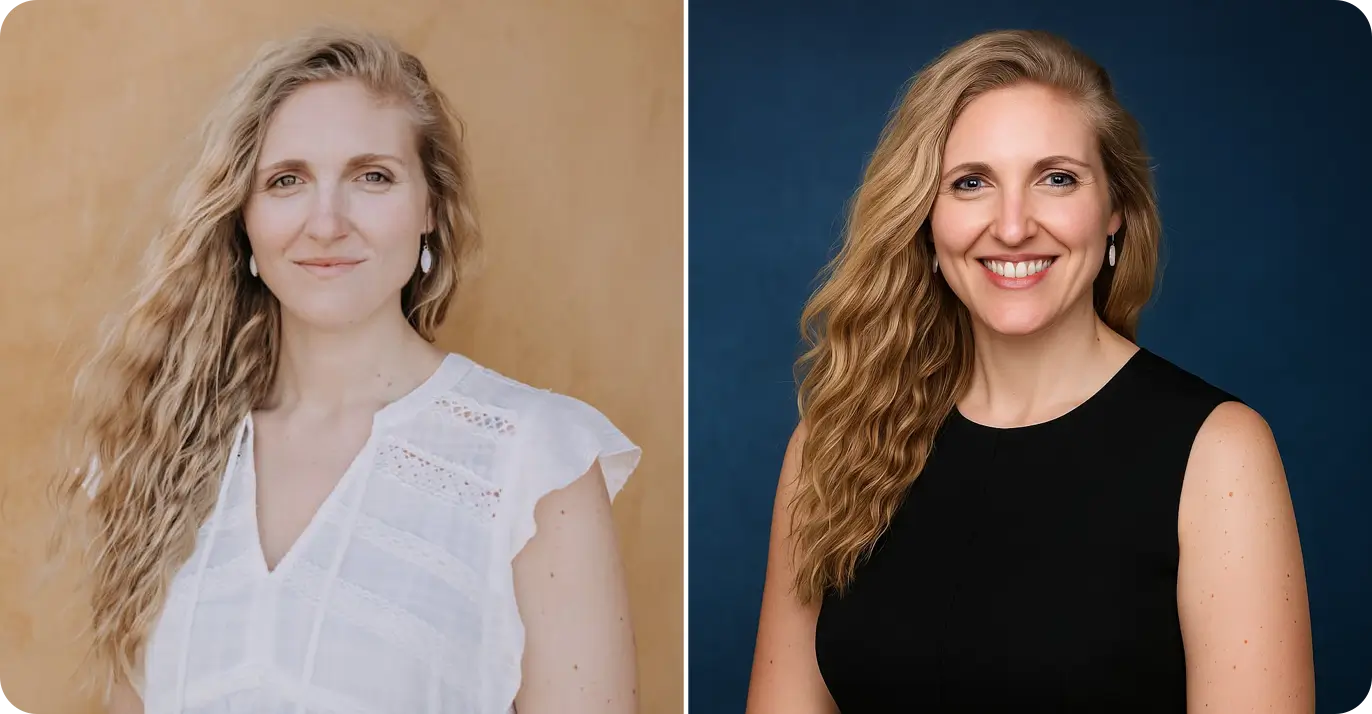
Example
Classic studio look
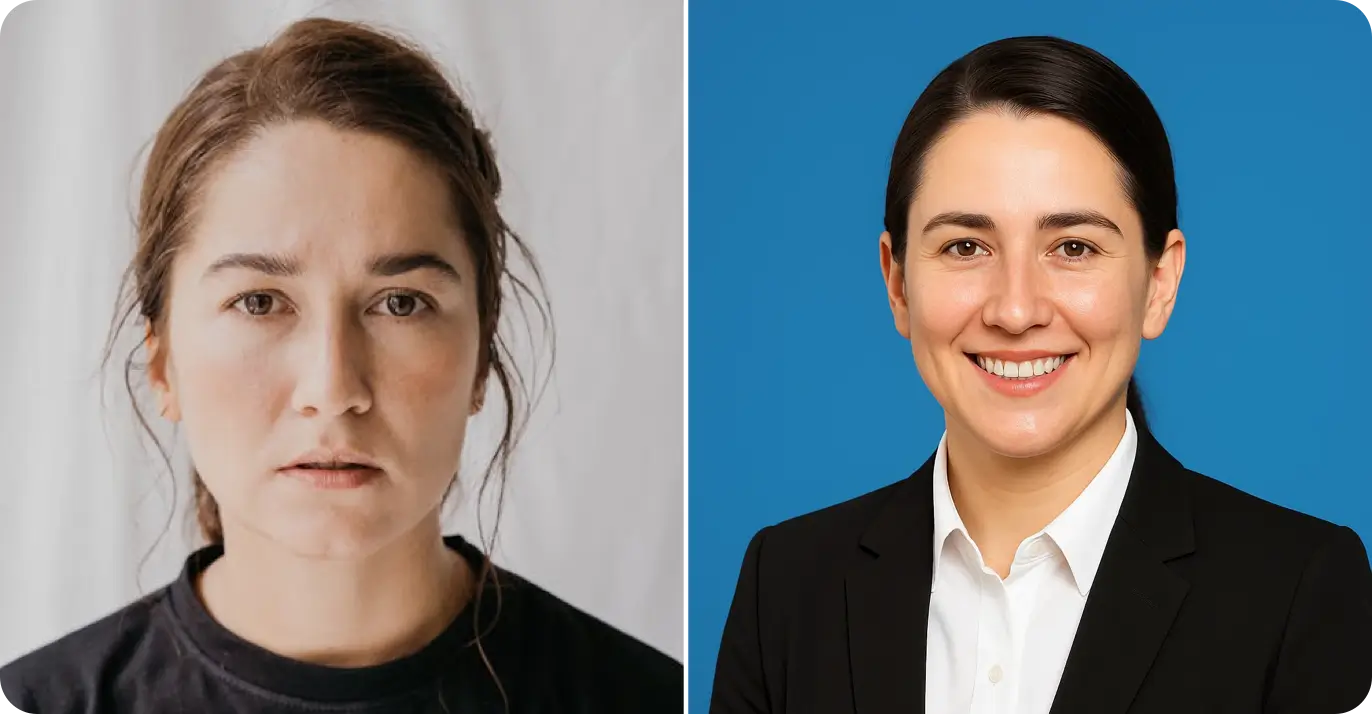
Example
Blue background, executive polish
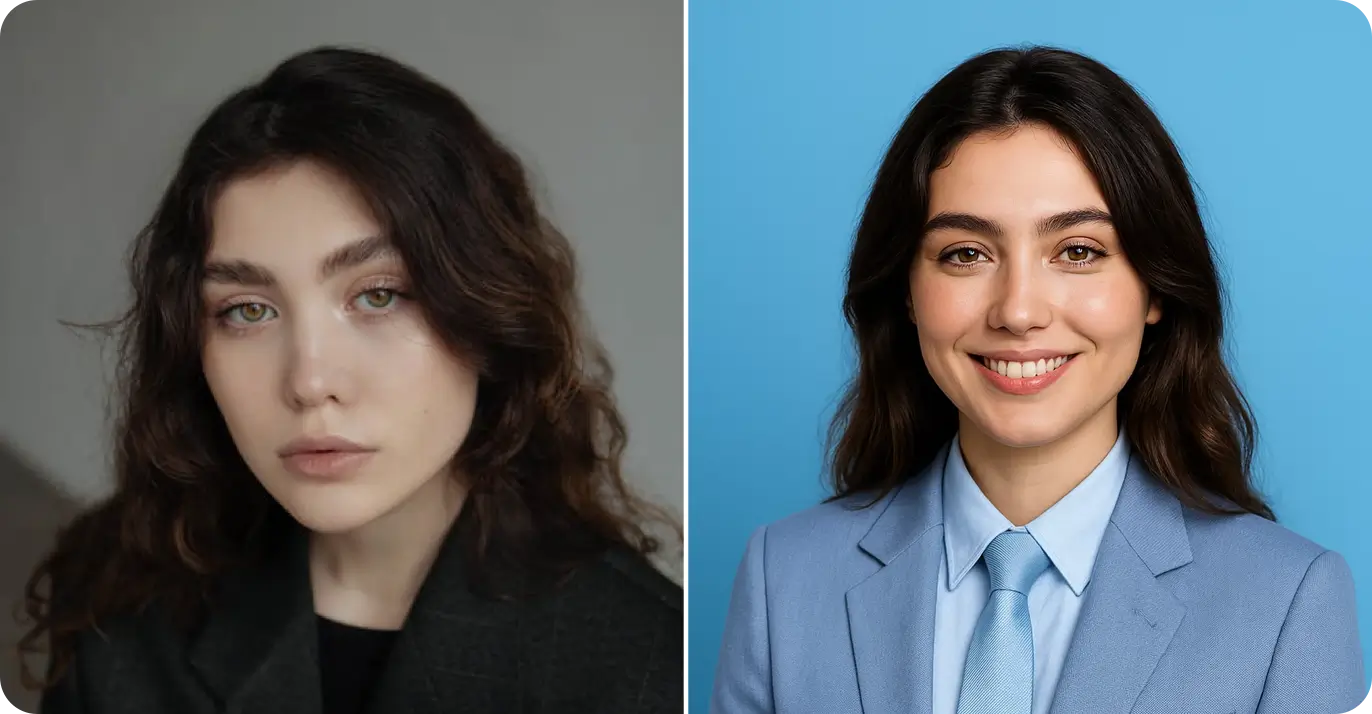
Example
Light blue, modern and friendly
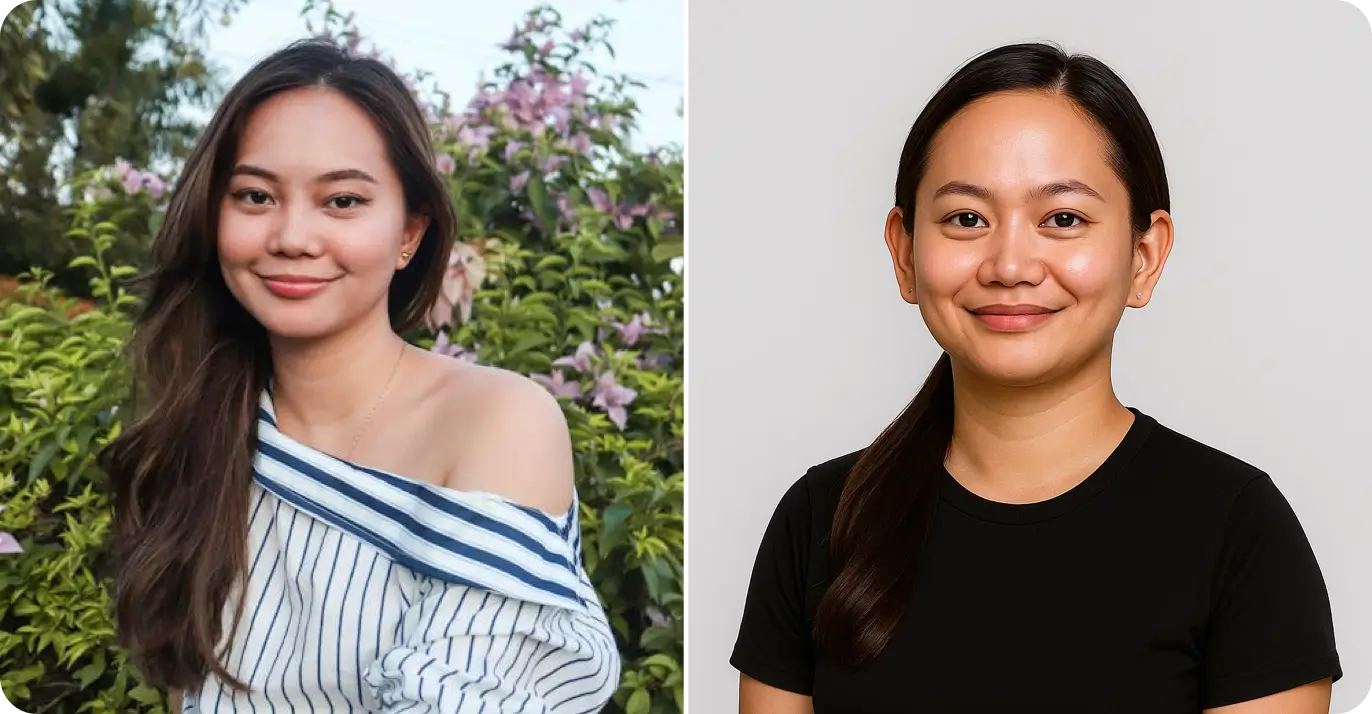
Example
Neutral gray, understated
Evidence & method
Proof you can reference
Examples shown are generated by RLU.AI. Results vary with lighting, background, and input quality—use a clear, front-facing photo for best results.
4
Examples shown
~30s
Typical processing time
76
Styles in the library
Answer-first summary
Summary
Create a LinkedIn headshot look with a professional finish. Upload one photo to get a clean result ready for LinkedIn and team profiles and Corporate directories and resumes. Works best with clear lighting and a front-facing photo.
Key facts
- Style focus: LinkedIn headshot
- Category: Professional
- Processing time: ~30s
- Input: 1 photo
- Output: styled portrait image
- Best for: LinkedIn headshot
Best fit guidance
Quick guidance to choose the right moment and get better results.
Best for
- LinkedIn headshot
- LinkedIn and team profiles
- Corporate directories and resumes
Not a fit
- Playful or cartoon looks
- Bold fashion styling
- Busy backgrounds or props
Tips
- Use a front-facing photo with even lighting
- Wear solid colors and avoid patterns
- Keep the background simple and uncluttered
Proof points
Clear facts that describe how this style behaves in practice.
30s
Avg processing time
1 photo
Input needed
2 images
Before/after preview
Details
Deeper context on results, inputs, and practical usage.
Detail 1
This LinkedIn headshot style is tuned for professional profiles with neutral backgrounds, soft lighting, and a natural expression. It keeps your likeness intact and avoids heavy retouching so your profile reads authentic and trustworthy.
Detail 2
Use a front-facing photo with even light and minimal shadows. Leave headroom for the LinkedIn circle crop and keep wardrobe simple with solid colors.
Detail 3
If you need extra polish, pair this style with the crop-safe preview and prompt pack to refine background, wardrobe, and lighting before generating.
Workflow
How it works
From upload to prompt pack in minutes.
- 1Step 1
Upload a clear photo
Use a front-facing, well-lit image with natural expression.
- 2Step 2
Pick industry + vibe
Match wardrobe, background, and crop to your role.
- 3Step 3
Check the crop safe zone
Ensure the LinkedIn circle crop will not cut off features.
- 4Step 4
Copy the prompt pack
Reuse the prompts in your favorite AI generator.
FAQ
LinkedIn headshot FAQs
Common questions about LinkedIn-ready AI headshots.
More Tools
Related Tools
Explore more AI-powered tools
LinkedIn headshot style
Professional LinkedIn-ready style preset.
Blue background headshot
Classic LinkedIn blue backdrop option.
Light blue LinkedIn style
Fresh, approachable LinkedIn look.
AI Style Editor
Apply any style to your photos.
Casual LinkedIn Headshot
Tune casual formality with guardrail scoring.
How to Take a LinkedIn Headshot
Get a step-by-step DIY shot coach with readiness scoring.
Headshot Prep Planner
Plan wardrobe, grooming, and day-of timeline in one flow.
AI Headshot Safety Checker
Run a safety check before uploading real photos.
Ready to refresh your LinkedIn headshot?
Generate a crop-safe prompt pack and build trust fast.