Can one headshot pass LinkedIn, Google Business, and ERAS without rework?
This determines whether teams can run one production batch or need separate workflows.
This professional headshot guidelines page helps teams prevent rework by locking platform specs, review owners, and publish-ready actions in one workflow.
Select destination and constraints before reviewing pass/fail output.
Drag and drop or click to browse
Supported formats: JPG, PNG, WEBP (Max 10MB)
Upload one representative photo to test dimensions and ratio constraints.
This checker is deterministic and does not require external AI calls.
Current baseline: Minimum 400x400, preferred ratio 1.00, max 8192KB.
LinkedIn accepts JPG/PNG profile photos between 400x400 and 7680x4320 pixels.
See score, blockers, evidence links, and team rollout template.
You will receive pass/fail rules, prioritized fixes, and a copy-ready team policy template.
These are the questions leaders ask before approving a team headshot policy.
This determines whether teams can run one production batch or need separate workflows.
Over-editing can trigger policy rejection and trust loss in hiring contexts.
Lack of review ownership is the most common cause of inconsistent rollouts.
Algorithmic checks improve speed but may introduce demographic bias if used as the only gate.
Each conclusion links to evidence, scope limits, and immediate actions.
Most rejection and rework comes from dimension, ratio, and file-size misses, not from clothing or color choices.
Evidence
LinkedIn, Google Business, and AAMC ERAS all publish explicit technical thresholds.
Action
Use a pre-shoot checklist with destination-specific pixel and file limits.
Official docs increasingly reject excessive filters and identity-distorting edits.
Evidence
Google Business requires photos to represent reality; U.S. visa guidance bans digital alteration that changes appearance.
Action
Set a hard rule: skin cleanup allowed, facial geometry change not allowed.
Auto checks are excellent for speed, but they do not fully solve fairness and context interpretation.
Evidence
NIST FRVT reports demographic differentials across nearly 200 algorithms and 18M+ images.
Action
Use automation for screening and human review for final publish approval.
People are often less objective when selecting their own photos for professional contexts.
Evidence
Peer-reviewed findings show strangers select profile photos that perform better for first impressions.
Action
Run a two-person review before final upload, especially for leadership profiles.
Without governance, teams get mixed styles and delayed updates across offices and directories.
Evidence
Google notes 10+ location businesses can use spreadsheet bulk upload and media review may take 24-48 hours.
Action
Define uploader, reviewer, and fallback owner with explicit turnaround time.
If your workflow uses facial embeddings or identity matching, consent and retention controls become mandatory in many jurisdictions.
Evidence
GDPR Article 9 restricts biometric processing for unique identification, and Illinois BIPA §15 sets written notice, release, and retention obligations.
Action
Before enabling biometric scoring, record legal basis by region; if unclear, keep non-biometric checks and manual final review only.
Run the checker first, then hand off a follow-up editing checklist to your owners so batch rollout avoids rework.
Core claims are traceable with dates and boundary notes.
| Claim | Evidence summary | Strength | Date | Boundary |
|---|---|---|---|---|
| LinkedIn has explicit profile photo upload constraints. | Maximum file size 8MB; profile photo between 400x400 and 7680x4320; PNG or JPG only.LinkedIn Help | High | Accessed 2026-02-16; LinkedIn page label: 'Last updated 1 year ago' | Applies to LinkedIn profile and background upload flow only. |
| Profile photo must represent actual likeness and avoid non-person imagery. | LinkedIn lists disallowed examples such as logos, emojis, landscapes, animals, and celebrities.LinkedIn Help | High | Accessed 2026-02-16; LinkedIn page label: 'Last updated 1 year ago' | Policy interpretation may still involve manual moderation context. |
| Google Business Profile enforces quality and authenticity standards. | Photo guidelines specify JPG/PNG, 10KB-5MB, recommended 720x720, minimum 250x250, in focus and well lit, no significant alterations or excessive filters.Google Business Profile Help | High | Accessed 2026-02 | Guidance applies to Google Search/Maps profile media, not all Google products. |
| ERAS photo submission has strict technical format requirements. | AAMC 2026 MyERAS materials specify 2.5 x 3.5 inches at 150 dpi (375 x 525 px), max 150 KB, and supported JPG/JPEG/PNG formats.AAMC 2026 MyERAS applicant materials | High | 2026 ERAS season page, accessed 2026-02 | Specific to ERAS residency application workflow and does not transfer to social channels. |
| ERAS photo assignment has workflow irreversibility that teams must plan for. | AAMC states the photo is mainly for interview identification; once assigned to a program and applied, the photo cannot be unassigned.AAMC 2026 MyERAS applicant user guide - Photographs | High | 2026 ERAS season page, accessed 2026-02 | Applies to ERAS application assignment flow; outside ERAS, file replacement rules differ. |
| Identity-sensitive contexts require strict composition and recency. | U.S. visa guidance requires plain white/off-white background, photo within 6 months, and no digital alteration that changes appearance; composition also specifies head height around 50%-69% of image and generally no eyeglasses except medical exceptions.U.S. Department of State | High | Accessed 2026-02 | These are visa-photo standards; use as upper-bound strictness in enterprise identity workflows. |
| Human oversight processes should be defined before deploying AI-assisted photo decisions. | NIST AI RMF 1.0 (MAP 3.5) requires documented human-oversight processes and highlights the need for human intervention or shutdown mechanisms when systems deviate.NIST AI RMF 1.0 | High | Released 2023-01-26 | Framework guidance is voluntary and should be adapted to your jurisdiction and sector rules. |
| Illinois biometric law requires written notice, release, and retention policy before collection. | 740 ILCS 14/15 requires informing the subject in writing, stating purpose and term, receiving written release, and publishing retention/destruction schedules.Illinois Compiled Statutes (BIPA §15) | High | Statute page accessed 2026-02 | State law scope applies to covered entities and biometric use cases in Illinois. |
| EU GDPR treats biometric data for unique identification as a special category by default. | GDPR Article 9 generally prohibits processing these data unless a legal exception applies; Article 4(14) includes facial images from specific technical processing.Regulation (EU) 2016/679 (GDPR) | High | In force since 2018-05-25 (accessed 2026-02) | Applies to EU personal-data processing scope; cross-border teams should map applicability by data subject location. |
| Photo usage rights cannot be assumed from possession of image files alone. | U.S. Copyright Office states photos are protected from fixation (when taken), authorship is usually the photographer, and work-for-hire is a limited exception.U.S. Copyright Office | High | Accessed 2026-02 | Copyright ownership and license terms still require contract review in your jurisdiction. |
| Face-analysis automation can produce demographic differentials. | NIST FRVT demographic report evaluated nearly 200 algorithms from nearly 100 developers using more than 18 million images of more than 8 million people, and quantified demographic differentials.NIST FRVT | High | Updated 2025-03-26 | Result concerns face recognition systems; use as risk warning for auto-scoring design, not a direct rejection rule. |
| Self-selected profile photos may underperform compared with outsider selection. | Peer-reviewed experiments show strangers choose profile photos that produce more favorable first impressions than self-selection.Cognitive Research: Principles and Implications | Medium | Published 2017-04-14 | Study focuses on first-impression tasks; teams should still run role-specific validation. |
Use this table to prevent rework before bulk rollout.
| Platform | Scope | Technical spec | Review cycle | Risk if missed |
|---|---|---|---|---|
| LinkedIn profileAccessed 2026-02-16; LinkedIn page label: 'Last updated 1 year ago' | Professional networking profile photo upload | PNG/JPG only, 400x400 to 7680x4320, max 8MB; profile image should reflect real likeness. | Policy-based moderation when reported or detected. | Upload failure or policy removal; profile trust may drop. |
| Google Business ProfileAccessed 2026-02 | Business listing profile and location photos | JPG/PNG, 10KB-5MB, min 250x250, recommended 720x720, in focus and well lit, no excessive filters. | Photo status may remain pending; published state can take up to 24-48 hours. | Low-quality or altered photos may be rejected or replaced by other media. |
| AAMC ERAS2026 ERAS season page, accessed 2026-02 | Residency application photo for Match workflow | 2.5x3.5 inches at 150 dpi (375x525 px), max 150KB, JPG/JPEG/PNG supported in 2026 worksheet. | Photo is mainly for interview identification; once assigned to an already applied program, it cannot be unassigned. | Wrong file spec can fail upload; wrong image assignment can require re-application handling. |
| Visa-grade reference (strict baseline)Accessed 2026-02 | Identity-sensitive workflows that require high verification confidence | Plain white/off-white background, recent photo within 6 months, no appearance-altering edits; head should be roughly 50%-69% of image height. | Manual acceptance at embassy/consulate discretion. | Submission rejection and identity verification friction. |
Automation and team rollout can trigger consent, retention, and data-use obligations by jurisdiction.
| Trigger | Applies when | Decision risk | Minimum control | Source and date |
|---|---|---|---|---|
| Copyright ownership is separate from file possession | Using photographer-delivered files across HR, marketing, or external agencies. | Unlicensed reuse can trigger takedown, disputes, or campaign delays. | Store written license scope and work-for-hire status before bulk upload. | Accessed 2026-02 U.S. Copyright Office |
| Illinois biometric collection requirements | Face templates/landmarks are captured for identity scoring in Illinois-covered operations. | Missing notice/release/retention controls creates direct statutory exposure. | Publish retention schedule, disclose purpose/term, and collect written release first. | Statute page accessed 2026-02 Illinois Compiled Statutes (740 ILCS 14/15) |
| EU GDPR special-category biometric processing | Processing facial data for unique identification of EU data subjects. | No Article 9 exception means processing is prohibited by default. | Map legal basis (Art.6 + Art.9), jurisdiction scope, and safeguards before deployment. | In force since 2018-05-25 (accessed 2026-02) Regulation (EU) 2016/679 (GDPR) |
| AI-assisted moderation without explicit human-oversight design | Auto-scoring is used for pass/fail or ranking decisions. | Opaque automation can cause fairness, accountability, and incident-response gaps. | Define human-oversight checkpoints and intervention/shutdown path in SOP. | Released 2023-01-26 NIST AI RMF 1.0 |
| ERAS photo assignment lock after program application | Applicants assign a photo and submit to programs in the ERAS cycle. | Late quality discovery can force high-friction manual remediation. | Run final QA before assignment; keep one backup export ready within spec. | 2026 ERAS season page, accessed 2026-02 AAMC 2026 MyERAS - Photographs |
Corporate, creative, and medical teams need different defaults and review owners.
| Template | Best for | Must have | Watchouts | Review owner |
|---|---|---|---|---|
| Corporate profile | Consulting, SaaS, finance, legal, enterprise sales. | Neutral background, shoulder-up framing, consistent lighting angle, lightweight retouch only. | Avoid dramatic color grading and heavy skin smoothing that harms trust. | Marketing brand owner + HR recruiter. |
| Creative portfolio | Design agencies, media teams, creator platforms. | Clear face visibility, color harmony with brand palette, still recognizable after circular crop. | No over-stylization that undermines identity match across systems. | Creative director + channel owner. |
| Medical / residency | ERAS, clinician directory, healthcare credentialing. | Technical format must pass strict dimensions; expression should remain neutral and trustworthy. | Any heavy edit or wrong ratio can invalidate submission. | Program coordinator + applicant self-check + final reviewer. |
What this checker can validate and what still needs human review.
Main failure patterns, triggers, and concrete mitigation owners.
| Risk | Trigger | Impact | Mitigation | Owner |
|---|---|---|---|---|
| Identity distortion from over-retouching | Aggressive skin smoothing, facial reshaping, AI filter stacking. | Policy rejection or trust loss during hiring review. | Set no-geometry-change rule and add pre-publish authenticity check. | Photo editor lead |
| Platform spec mismatch | Wrong ratio, oversized file, or low pixel dimensions. | Upload failure and rework across multiple channels. | Use destination-specific export presets with QA sign-off before batch release. | Ops / design QA |
| Inconsistent review standards across teams | No shared rubric, no designated reviewer, ad-hoc approvals. | Mixed visual identity and delayed launch. | Publish one-page policy + owner SLA + escalation path. | HR + brand operations |
| Bias from fully automated scoring | Using one model output as final decision without human check. | Potential fairness complaints and legal exposure. | Use model output as triage signal only; require human final approval. | Compliance owner |
| Biometric non-compliance in cross-region rollout | Face embeddings or identity matching enabled without jurisdiction-specific legal basis. | Potential legal claims, forced shutdown of workflow, and reputational damage. | Run legal intake before launch: map applicable law, consent method, retention schedule, and manual override policy. | Legal + compliance |
| Stale photos no longer represent current appearance | No refresh cadence; old photos reused across new hiring cycles. | Reduced trust and possible rejection in identity-sensitive workflows. | Set explicit internal cadence by role risk (to be verified against local policy) and refresh immediately on major appearance change. | HR operations |
Three real rollout scenarios to shorten decision time.
Premise: A consulting firm needs one consistent profile style for LinkedIn and website bios before a campaign launch in two weeks.
Process: They ran this checker with LinkedIn baseline, selected corporate template, and assigned marketing as final reviewer.
Result: First-pass acceptance improved because dimensions and authenticity checks were applied before retouching.
Premise: Applicant has a strong portrait but incorrect ratio and oversized file.
Process: Using ERAS destination rules, they exported 375x525 JPEG under 150KB and ran final manual review.
Result: Submission passed technical intake without additional support tickets.
Premise: A healthcare chain updates provider photos across 12 locations in Google Business Profile.
Process: Team used bulk-upload template, staged uploads by region, and planned 48-hour verification buffer.
Result: Rollout stayed on schedule with fewer missing or replaced profile photos.
Priority is Tier 1 official documents and original studies.
LinkedIn Help
Upload constraints: format, dimensions, and max file size.
Accessed 2026-02-16; LinkedIn page label: 'Last updated 1 year ago'
https://www.linkedin.com/help/linkedin/answer/a549049/LinkedIn Help
Profile-photo policy and disallowed image types.
Accessed 2026-02-16; LinkedIn page label: 'Last updated 1 year ago'
https://www.linkedin.com/help/linkedin/answer/a1377087/profile-photo-guidelines-and-conditionsGoogle Business Profile Help
Photo quality specs, authenticity requirement, and review timing.
Accessed 2026-02
https://support.google.com/business/answer/6103862?hl=enAAMC ERAS (Applicant Materials)
Residency photo technical requirements and accepted file formats.
2026 ERAS season page, accessed 2026-02
https://students-residents.aamc.org/documents-eras-residency-applicantsAAMC ERAS (Photographs)
Interview-identification purpose and assignment lock once applied.
2026 ERAS season page, accessed 2026-02
https://students-residents.aamc.org/applying-residencies-eras/publication-chapters/photographsU.S. Department of State
Identity-sensitive photo composition and anti-alteration rules.
Accessed 2026-02
https://travel.state.gov/content/travel/en/us-visas/visa-information-resources/photos.htmlNIST FRVT
Demographic differentials in face-recognition algorithms.
Updated 2025-03-26
https://www.nist.gov/programs-projects/face-recognition-vendor-test-frvtNIST AI RMF 1.0
Human oversight process requirements and intervention controls for AI risk management.
Released 2023-01-26
https://nvlpubs.nist.gov/nistpubs/ai/nist.ai.100-1.pdfIllinois Compiled Statutes (740 ILCS 14/15)
Written notice, release, and retention/destruction obligations for biometric data.
Statute page accessed 2026-02
https://www.ilga.gov/documents/legislation/ilcs/documents/074000140K15.htmEUR-Lex (GDPR Regulation EU 2016/679)
Biometric data definition and Article 9 special-category processing restrictions.
In force since 2018-05-25 (accessed 2026-02)
https://eur-lex.europa.eu/eli/reg/2016/679/ojU.S. Copyright Office
Photo ownership baseline and work-for-hire exception boundaries.
Accessed 2026-02
https://www.copyright.gov/engage/photographers/Cognitive Research Journal
First-impression outcomes for self-selected vs outsider-selected profile photos.
Published 2017-04-14
https://link.springer.com/article/10.1186/s41235-017-0058-3Examples highlight framing and lighting differences; they do not replace final review.
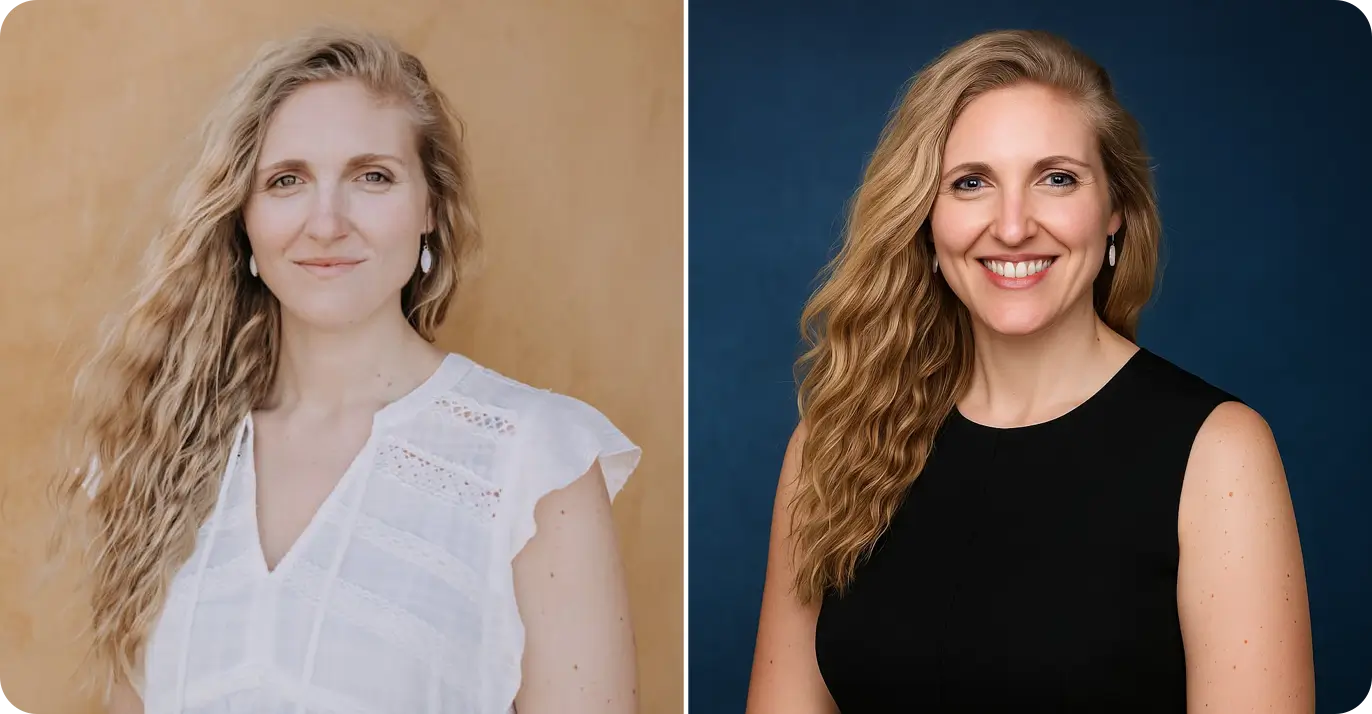
Guideline sample 1
Use this sequence to move from diagnosis to team execution.
Choose LinkedIn, Google Business, or ERAS first so dimensions and ratio checks are deterministic.
Validate score and blockers before shooting or retouching the whole batch.
Use the generated policy template to define uploader, reviewer, and SLA.
Before enabling face-based scoring, confirm regional legal basis, consent flow, and retention/destruction policy.
Re-run checks whenever platform destination or crop ratio changes.
Questions grouped around approval, rollout, and risk handling.
Continue from guideline check to generation and editing workflows.
Generate LinkedIn-ready prompt packs after passing guideline checks.
Plan wardrobe, schedule, and pre-shoot logistics with a practical checklist.
Apply natural retouch guidance after technical compliance is confirmed.
Set up phone or camera lighting with score-based guidance before final edits.
Use healthcare-specific constraints for residency and clinician use cases.
Run guideline checks first, then move to generation/editing workflows to reduce rework.