LogoRLU.AI
  • AI Photo Styles
  • Pricing
  • Blog
  • Contact
LogoRLU.AI

Transform your photos with AI. Discover the ReaL U - RLU.AI

Email
Featured on:
aibesttop AI Tools Directory|Featured on ShowMeBestAIFeatured on toolfame.comNextGen Tools BadgeFeatured on Dofollow.ToolsFeatured on saasfame.comAMZdir|Featured on findly.tools
Popular AI Styles
  • All AI Styles
  • AI Age Progression
  • Corporate Headshots Generator - AI Executive Headshot & Professional Business Portrait Maker
  • AI Headshot Background Generator - Professional Headshot Background & Red Background Portrait Maker
  • What to Wear for Professional Headshots - AI White Shirt Professional Headshot Generator
  • Grey Headshot Background - AI Gray Background Headshot & Neutral Background Generator
  • Business Casual Headshots - Free AI Casual Headshots & Casual Corporate Headshots Generator
AI Tools
  • Eyes Follow Mouse
  • AI Headshot for LinkedIn
  • AI Headshot Safety Checker
  • Casual LinkedIn Headshot
  • How to Take a LinkedIn Headshot
  • How to Take a Professional Headshot at Home
  • How to Take a Professional Headshot with iPhone
  • Headshot Prep Planner
  • What to Wear for LinkedIn Headshot
  • Medical Professional Headshots
  • Professional Headshots for Acting
  • Professional Headshot Booth Planner
  • Professional Headshot Cost Estimator
  • Professional Headshot Editing Tips
  • Professional Headshot Guidelines
  • Professional Headshot Pose
  • Professional Headshot Lighting Setup
  • Prompt for Professional Headshot
Resources
  • Pricing
  • Blog
Company
  • Contact
  • Partners
  • Waitlist
Legal
  • Privacy Policy
  • Terms of Service
© 2026 RLU.AI All Rights Reserved.Climate CommitmentTinyLaunch BadgeFeatured on ToolPilot
AI · LinkedIn Outfit Planner

What to Wear for LinkedIn Headshot

Run a tool-first outfit plan, then verify confidence with evidence, risk boundaries, and scenario guidance on the same URL.

No sign-in required. Deterministic scoring. Published: February 18, 2026. Last updated: February 18, 2026.
Outfit inputs

Set role, industry, formality, and wardrobe constraints before generating results.

Upload your photo

Drag and drop or click to browse

Supported formats: JPG, PNG, WEBP (Max 8MB)

Preview accepts JPG/PNG/WEBP. For final LinkedIn upload, use JPG/PNG up to 8 MB.

Balanced formality with approachable tone works best.

66/100

Industry target 66; keep deviation within ±12

Quick presets

Decision output

Scores, outfit shortlist, crop-safe status, and next-step CTA.

Run the planner first
Your outfit recommendations and confidence report will appear here.

Jump to report layers

SummaryMethodComparisonTradeoffsRisksFAQ
Summary

Core conclusions and key numbers

A quick decision snapshot after scanning top guidance and platform constraints.

Generate outfit decision
Outfit confidence79/100

Outfit confidence

Acceptable fit · Medium risk (review required)

21x / 9x

Profile views / connection requests uplift with a profile photo

LinkedIn for Job Seekers 2024 deck: up to 21x views and 9x connection requests (accessed 2026-02-18).

400 x 400

LinkedIn profile minimum size (px)

LinkedIn Help: profile photos must be between 400x400 and 7680x4320 (accessed 2026-02-18).

8 MB

Max profile photo file size

LinkedIn Help upload requirement: PNG/JPG only, with an 8 MB maximum file size.

4 / 4

Campus guidance sources prioritizing solid or subtle-pattern tops

UMD, UNC, FIU, and Iowa brand guidance all emphasize low-noise tops (reviewed 2026-02-18).

3 / 3 + 1 / 3

Sources warning against all-white tops + pure-black detail loss

UMD/UNC/FIU caution against white-on-white backgrounds; FIU also warns pure black can lose detail.

Having a real profile photo is the highest-impact baseline.

Before optimizing fabrics and colors, users without a profile photo are likely leaving major visibility on the table.

LinkedIn Job Seekers 2024 reports up to 21x profile views and 9x connection requests with profile photos.
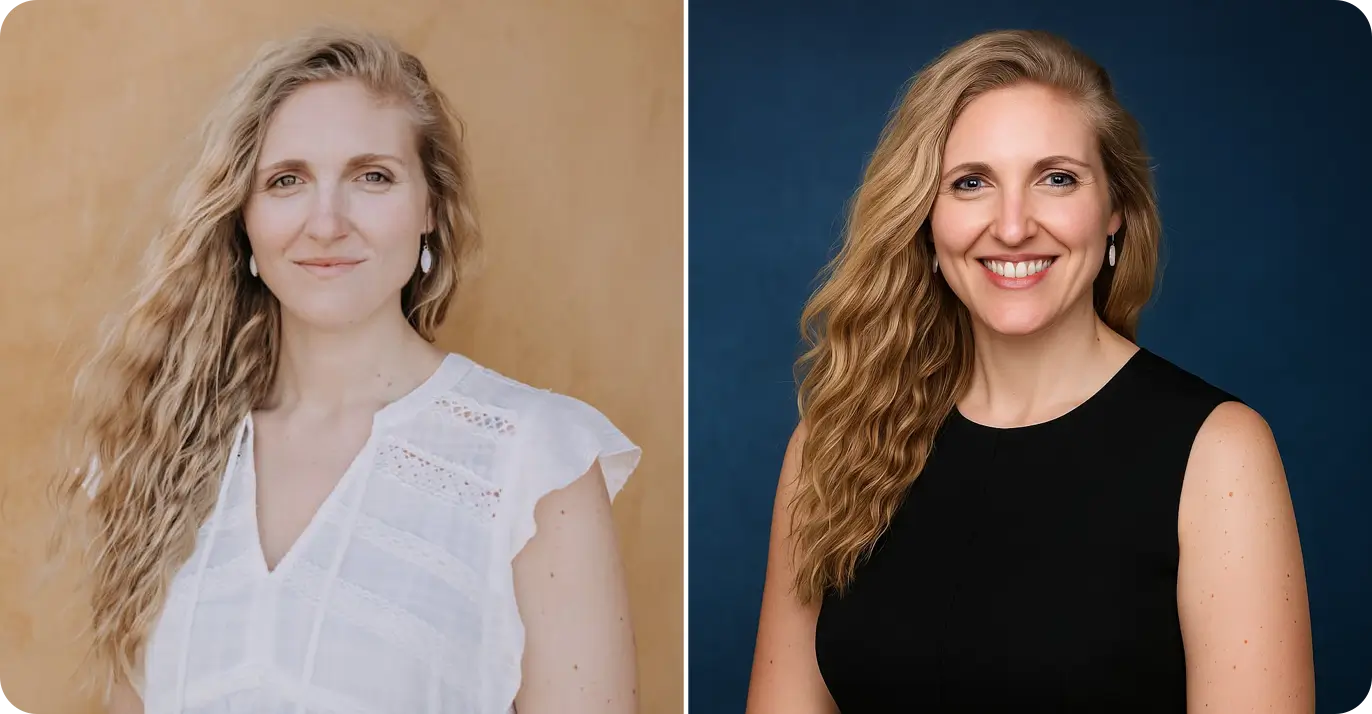
Start from audience context, not personal style preference.

University guidance consistently frames headshot attire as what you would wear to meet a target employer, which supports the industry-formality baseline.

UNC says wear what you would wear for an in-person employer meeting; UMD recommends industry-aligned business casual/professional attire.

Crop safety can invalidate an otherwise good outfit.

Neckline and shoulder lines must survive 1:1 thumbnails; oversized layers often fail this check.

LinkedIn upload guidance recommends photos that need minimal cropping.

Pattern intensity is a technical risk control, not just a style choice.

Fine patterns can create moire artifacts on digital displays and reduce face-first readability in thumbnails.

UIowa portrait guidance and Nikon imaging documentation both warn about patterned fabrics and moire behavior.

Avoid absolute color rules; use background-aware boundaries.

Several schools explicitly caution against all-white tops on light backdrops, while FIU also warns pure black can lose detail.

This is a conditional constraint: white or black may still work when contrast and layering are controlled.

Outfit-level hiring conversion data remains unproven in public datasets.

Current public LinkedIn evidence quantifies profile-photo presence effects, but not causal effects of specific outfit categories.

Marked as "pending confirmation" and treated as N/A in this page to prevent fabricated certainty.

Intent distribution

Do intent versus know intent balanceDo intent 50%Know intent 50%Source: intent-router (mode=hybrid, confidence=low)

Formality calibration

Formality target versus selected valueIndustry targetCurrent
Fit boundary

Who this guidance fits (and not)

Use these boundaries before spending time on outfit prep or retakes.

Best fit users

  • • Professionals updating LinkedIn profile for job search or internal mobility.
  • • Teams creating a unified but role-sensitive visual standard.
  • • Users who need deterministic guidance before AI generation.

Not a fit (or requires manual override)

  • • Users looking for fashion-forward artistic portraits over professional readability.
  • • Roles requiring strict uniform compliance not represented in preset templates.
  • • Cases where no reference image can be provided for crop validation.
Method

Methodology and evidence

How scoring works, where evidence comes from, and what remains uncertain.

Method flow chartContext inputSignal scoringCrop validationAction output

Step 1: Build role + industry context

Set baseline formality by industry, then add role-specific nuance.

Step 2: Score outfit signal clarity

Measure color, pattern, neckline, and layering against readability goals.

Step 3: Validate crop safety and boundaries

Run square-crop checks and boundary alerts before final action.

Step 4: Export decision summary and checklist

Turn findings into prompt-ready and shoot-ready actions.

SourceTime markerKey pointConfidence

LinkedIn profile photo upload limits

L1

LinkedIn Help

Open source
Last updated shown as 1 year ago · Accessed 2026-02-18Profile photo must be PNG/JPG, max 8 MB, and between 400 x 400 and 7680 x 4320.high

Profile photo content policy

L2

LinkedIn Help

Open source
Last updated shown as 1 year ago · Accessed 2026-02-18Profile image must reflect your likeness and avoid logos, text, or unrelated imagery.high

LinkedIn for Job Seekers deck (2024)

L3

LinkedIn Social Impact

Open source
Document year 2024 · Accessed 2026-02-18States that members with profile photos receive up to 21x more views and 9x more connection requests.high

University career center wardrobe guidance

U1

University of Maryland Career Center

Open source
Accessed 2026-02-18Recommends business-casual/professional attire, solid colors, avoiding all-white tops on white background, and wrinkle-free clothing.medium

UNC headshot attire guidance

U2

UNC Career Center

Open source
Accessed 2026-02-18Advises wearing what you would wear to meet an employer, with solid colors, subtle patterns, and simple accessories.medium

FIU LinkedIn headshot dress guidance

U3

FIU Career and Talent Development

Open source
Accessed 2026-02-18Recommends solid mid-to-dark tones, warns against large white blocks, pure black detail loss, and distracting patterns.medium

University brand portrait standard

U4

The University of Iowa Brand Manual

Open source
Accessed 2026-02-18States that solid colors work best and fine patterns can cause moire artifacts in digital display.medium

Moire and false-color imaging explanation

T1

Nikon Learn & Explore

Open source
Accessed 2026-02-18Explains that woven textiles and repetitive fine patterns are high-risk moire triggers on digital sensors.high

Known limits and uncertainty

  • • LinkedIn discloses strong uplift for having a profile photo, but does not publish causal A/B data for specific outfit categories.
  • • Campus dress guidance is mostly U.S.-centric; requirements may differ by region, regulated uniforms, or culture-specific norms.
  • • Moiré behavior depends on camera sensor and compression pipeline. Public smartphone benchmarks are limited and fragmented.
  • • Crop validation quality drops when no image is uploaded; in that case the page returns boundary warnings.
Comparison

Comparison with existing alternatives

Most pages give static tips; this page adds execution and validation in one loop.

OptionPersonalizationCrop validationActionabilityTrust signal
Pinterest inspiration boardsLow (visual browsing only)N/AMedium (idea collection)Low source consistency
Static wardrobe blog guidesLow to mediumNo live crop simulationMedium (manual translation required)Mixed (author-dependent)
LinkedIn platform documentationNoneTechnical constraints onlyHigh for upload compliance, low for styling decisionsHigh (first-party source)
This hybrid planner pageHigh (role + industry + constraints)Live state + boundary alertsHigh (scores, shortlist, checklist, CTA)Explicit sources + uncertainty labels

SERP execution gap

None of the top 10 results offered an interactive planner; users must translate tips manually.

Compliance bridge

Combines LinkedIn upload rules with wardrobe choices in one decision path.

Action loop

Outputs include shortlist, boundary alerts, and generation CTA to prevent decision drift.

Tradeoffs

Decision tradeoffs and boundary conditions

Use this matrix to choose what to optimize first, then apply fallback paths when constraints conflict.

Evidence snapshot: 8 sources total, 3 first-party LinkedIn documents. Last reviewed: 2026-02-18.
Decision focusRecommended choiceUpsideDownsideBoundary & fallbackEvidence refs
Need maximum trust in conservative industriesNavy/charcoal solid + structured collarHigh readability and low policy risk in small thumbnailsCan look rigid or less approachable in warm-context rolesIf role requires warmth, lower formality by one level and retest.
L1U2U1
Need approachable but credible positioningNeutral earth tones + clean crew/V necklineBalances credibility and friendliness across product/client-facing rolesIf contrast is too low, face can blend into light backgroundsUse one darker layer when the background is white or high-key.
U1U2U3
Need to show personal or company brand colorKeep accent color to one focal zone near necklineRetains identity signal without fully sacrificing face focusOveruse of accents competes with facial attentionFor non-creative roles, revert to neutral base if score falls below 68.
U2U3
Want visual texture while avoiding a flat lookMicro-texture only; avoid tight repetitive printsAdds depth without dominating thumbnailsEven subtle texture can still trigger artifacts on some sensorsShoot test frames and zoom to 100% before final selection.
U4T1
Need to prioritize effort under limited preparation timeEnsure compliant, recognizable headshot first, then optimize outfitCaptures the largest known visibility gain firstMay delay nuanced style differentiation for brand-heavy rolesIf you already have a compliant photo, move directly to tradeoff rows above.
L3L2

Pending confirmation / insufficient public data

Do specific outfit categories causally improve recruiter response rate on LinkedIn?

Pending confirmation: no reliable public platform-level causal dataset found.

Monitor official LinkedIn research releases and update if controlled experiments are published.

How large is moire risk across modern smartphone portrait pipelines?

Public evidence is fragmented; no cross-device benchmark with reproducible protocol.

Treat patterned outfits as conditional risk and require test shots before final upload.

How should attire recommendations change across regions and regulated uniforms?

Current evidence is U.S.-heavy and cannot be generalized globally.

Collect region-specific institutional guidance before adding deterministic presets.

Risks

Risk matrix and mitigation

Avoid common failure modes before booking a shoot or running AI generation.

Risk matrixHigh impactLow impactLow probabilityHigh probabilityover-formalunder-formalpattern-noisebrand-accent
RiskProbabilityImpactMitigation
Over-formal outfit lowers approachability in warm-context roles.MediumMediumReduce formality by one level and retest score with role context.
Under-formal outfit weakens trust in consulting/finance/healthcare.HighHighUse structured collar or blazer shell and lift formality score above target band.
High-frequency patterns create thumbnail noise or moire.MediumHighSwitch to solid or micro-texture and rerun crop check.
Too much brand accent color competes with facial attention.MediumMediumKeep accent to one area near neckline and neutralize other zones.
All-white or pure-black tops lose contrast/detail under common headshot lighting.MediumMediumAdd contrast layering and run a quick test shot against the actual background before final capture.
Neckline or shoulders are clipped in square crop.MediumHighIncrease camera distance and reserve more shoulder space before final upload.
User expects hard conversion metrics that are not publicly available.HighMediumShow N/A explicitly and focus decisions on validated constraints plus scenario outcomes.
Scenarios

Scenario examples

Realistic examples with premise, process, and measurable outcome.

Scenario A: Consultant updating profile before partner interviews

Premise: Corporate industry, high formality expectation, no existing studio photo.

Process: Applied executive preset, switched pattern to solid, and uploaded a phone photo for crop simulation.

Outcome: Confidence score moved from 63 to 86; checklist flagged one shoulder-space adjustment before final shoot.

Scenario B: Product manager seeking warm but credible profile image

Premise: Tech role, cross-functional leadership, needs recruiter readability.

Process: Selected tech preset, reduced formality from 74 to 66, and moved accent color to neckline only.

Outcome: Approachability score improved 11 points while trust score remained above target threshold.

Scenario C: Designer balancing personal style and hiring confidence

Premise: Creative portfolio role with one mandatory brand color.

Process: Kept brand accent but removed bold pattern and swapped to subtle texture.

Outcome: Distraction risk dropped from high to medium; final score reached actionable range (79).

Scenario D: Healthcare specialist preparing profile and directory photo

Premise: Needs one outfit that works for both LinkedIn and institutional use.

Process: Used healthcare template, enforced neutral palette, and removed reflective accessories.

Outcome: Single outfit plan passed both trust and crop checks, reducing re-shoot risk across channels.

LinkedIn headshot style examples

Preview visual outcomes before running final generation.

LinkedIn headshot outfit example 1 - before
Before
LinkedIn headshot outfit example 1 - after
After

Example 1

Workflow

How to use this page

Complete tool and report checks in one workflow.

Generate outfit decision
  1. 1Step 1

    Input role and constraints

    Enter role title and select industry, formality, color, neckline, and pattern settings.

  2. 2Step 2

    Generate score and shortlist

    Run deterministic scoring to get an outfit shortlist and boundary reminders.

  3. 3Step 3

    Validate crop safety

    Upload one image to test square-crop readability before final shooting or generation.

  4. 4Step 4

    Use report layer to de-risk

    Review key data, method, competitor gap, risk matrix, and scenario examples before action.

FAQ

FAQ

Decision-focused answers for outfit, crop, and risk tradeoffs.

Next tools

Related tools

Move from outfit planning to generation, editing, and safety checks.

AI Headshot for LinkedIn

Turn approved outfit constraints into final generated portraits.

Casual LinkedIn Headshot

Fine-tune casual-to-formal balance after you lock core outfit choices.

Headshot Prep Planner

Convert outfit decisions into shoot-day preparation tasks.

Professional Headshot Editing Tips

Control retouching and preserve trust after generation.

Ready to turn this outfit plan into a final LinkedIn image?

Use the approved outfit checklist and launch generation with your selected constraints.

Open LinkedIn headshot generatorBrowse more headshot guides

Source note

Published: February 18, 2026. Last updated: February 18, 2026.

Maintenance cadence: review evidence, links, and platform policy every 90 days.

Unknown fields are marked as N/A to avoid fabricated claims.

If you spot outdated evidence, use time markers in the report layer to refresh quickly.